
Free board pack template
One page for the board, rebuilt when you pick the month.
Board reporting often takes days of copying numbers into slides, and directors still want one page they can read in two minutes. This template keeps all the numbers on one Data tab and builds board-ready pages from them. Change the report month and every tile, table, chart and the headline update. A flag tells you when the commentary was written for a different month.
Free · Excel
Highlights
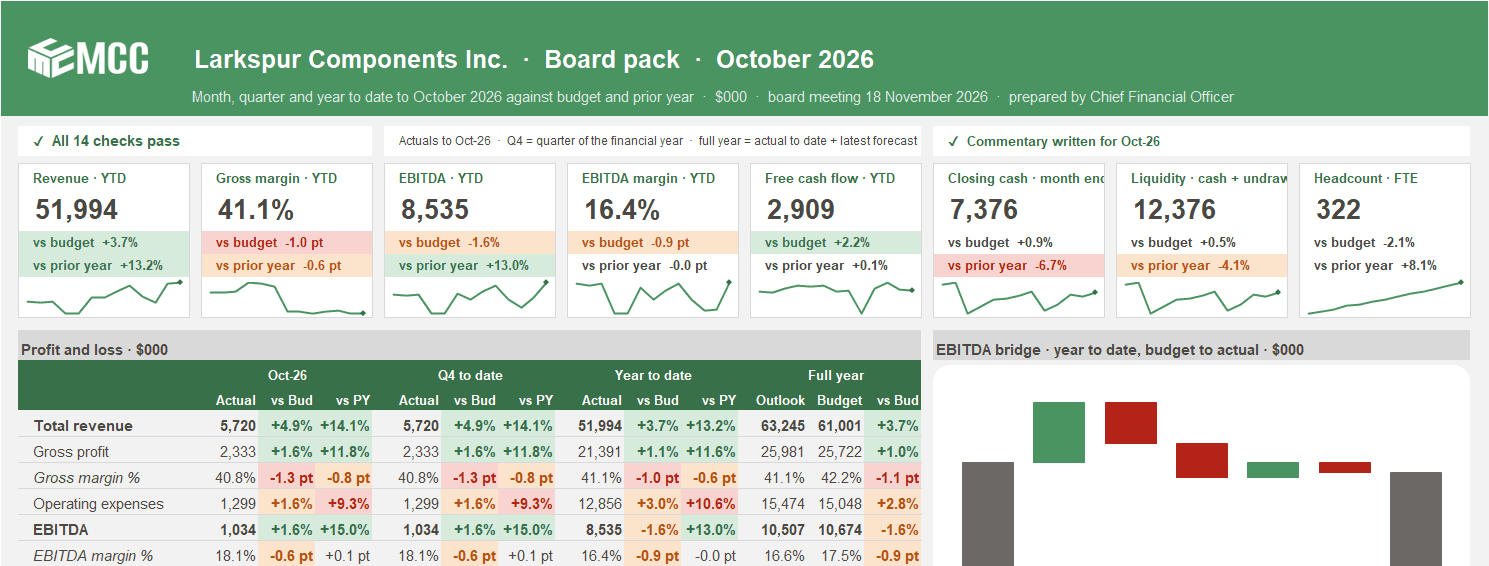
The whole month on one page
Eight KPI tiles with the variance to budget and to last year, a P&L for the month, quarter, year to date and full year, and an EBITDA bridge.
Cash with a warning
Month-end cash against forecast, budget and the board's minimum. If forecast cash drops below it, a red banner gives the amount and the month.
Fourteen checks on every refresh
Complete inputs, cash and customers that roll forward, the facility within its limit, and a bridge that ties. One status on the board page.
Why one page?
Directors read the first page. Everything else is backup. This template puts the answers to the usual questions on that page, how did we do against budget and last year, where will we land for the year, why is EBITDA off plan and do we have enough cash.
The numbers live on one Data tab, so the pages never drift from each other. Paste the month's actuals, pick the month, and the board page, the charts and the detail all follow.
Where CFOs use it
- Monthly board and audit committee packs, and quarterly board meetings with the quarter-to-date columns.
- Month-end close review with the leadership team.
- Monthly reforecast, where the outlook column shows the effect of the new forecast at once.
- Lender and investor updates, with liquidity, leverage, customer concentration and minimum-cash headroom in one pack.
What's inside
Four working tabs. Only the shaded cells are inputs, everything else is a formula.
Board Page
The one-page pack. KPI tiles with 13-month sparklines, the P&L, the EBITDA bridge, cash and funding, and the commentary.
Board Charts
Revenue by month and by category, the top 10 customers against last year, customer movement and headcount. Each chart has a one-line takeaway written from the numbers.
Board Detail
The full P&L, cash, people and customer KPIs for the month, quarter to date, year to date and full year, plus a 13-month trend table.
Data
Settings, then four monthly blocks (actual, budget, forecast and prior year) of 38 lines each, two top-10 customer blocks (this year and last year), the KPI calculations and the checks. Rename a line once and every block, table and chart label follows.
About Vena and MCC
Who built the template, and what changes when the same pages run in Vena.
One data tab, every page
Paste monthly actuals, budget, latest forecast and prior year into the Data tab. The pages build themselves.
- Board Pack on a Page
A monthly board pack built from one data tab.
Revenue, gross margin, EBITDA, EBITDA margin, free cash flow, closing cash, liquidity and headcount, each against budget and last year. Traffic lights colour each variance by whether it is good or bad news, not by its sign: costs and lost customers are better when they are lower. Neutral lines such as headcount stay uncoloured. The thresholds are yours to change.
Tabs
- About Vena and MCC
- Board Page
- Board Charts
- Board Detail
- Data
How to use it
Step 1: Fill in the settings
Company, units, first month of the financial year, report month, minimum cash, the facility limit and the traffic-light thresholds.
Step 2: Paste the numbers
Monthly actuals, budget, forecast and prior year into the shaded cells of the four blocks, plus your top 10 customers for this year and last year.
Step 3: Look at the checks
All fourteen should pass. They prove the pack adds up and the inputs are complete, not that the assumptions are right.
Step 4: Write the story
A formula writes a headline from the numbers. Three shaded boxes hold your own words on performance, cash and risks, and the decisions you ask of the board.
Questions about the template
Is the template really free?
Yes. Leave your name and work email and the download appears right away. The file is yours to keep and change.
Do I need Vena to use it?
Not to start. It runs in plain Excel, with no macros and no add-ins. Vena comes in when several entities, departments or people feed the pack and copy and paste becomes the risk.
Does it work if our financial year doesn't start in January?
Yes. Set the first month of the financial year on the Data tab. Month headers, quarters and the report-month list all follow it.
Can I rename the lines to match our P&L?
Yes. Rename a line once in the Actual block and every block, table and chart label follows.
Is the sample data real?
No. Larkspur Components Inc. and its customers and numbers are made up, so you can see how the pack works before you paste in your own.
The company, customers and figures in this template are made-up sample data. MCC is an independent Vena partner.
Last updated
From a spreadsheet to a process you can trust
Once several entities, departments or people feed the pack, MCC can set the same pages up in Vena for you, refreshed from your ledger and planning model.
Talk to our team- 1
Use this template
Free, in plain Excel. Change the shaded inputs and the rest updates.
- 2
Have MCC set it up in Vena
Keep the Excel layout, and add one Vena data model, approvals and an audit trail. We build it and check that it ties.
More templates
- Cash
- Forecasting
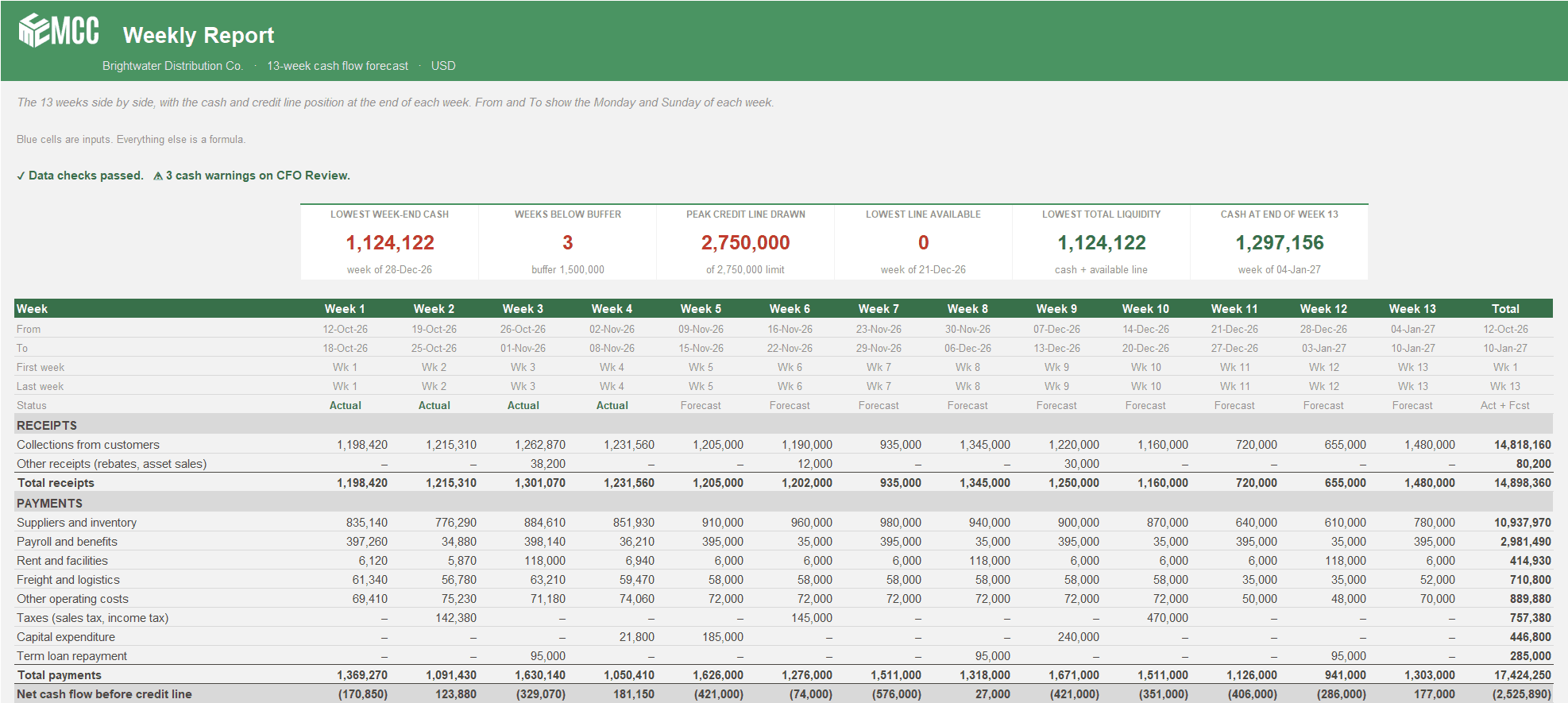
13-Week Cash Flow Forecast
See every week of cash for the next quarter, when you'll touch the credit line, and whether the bank statement agrees. Two versions, Weekly or Weeks + Months.
Free · Excel, 2 versions: Weekly and Weeks + MonthsDownload free
- Planning
- Forecasting
- Cash
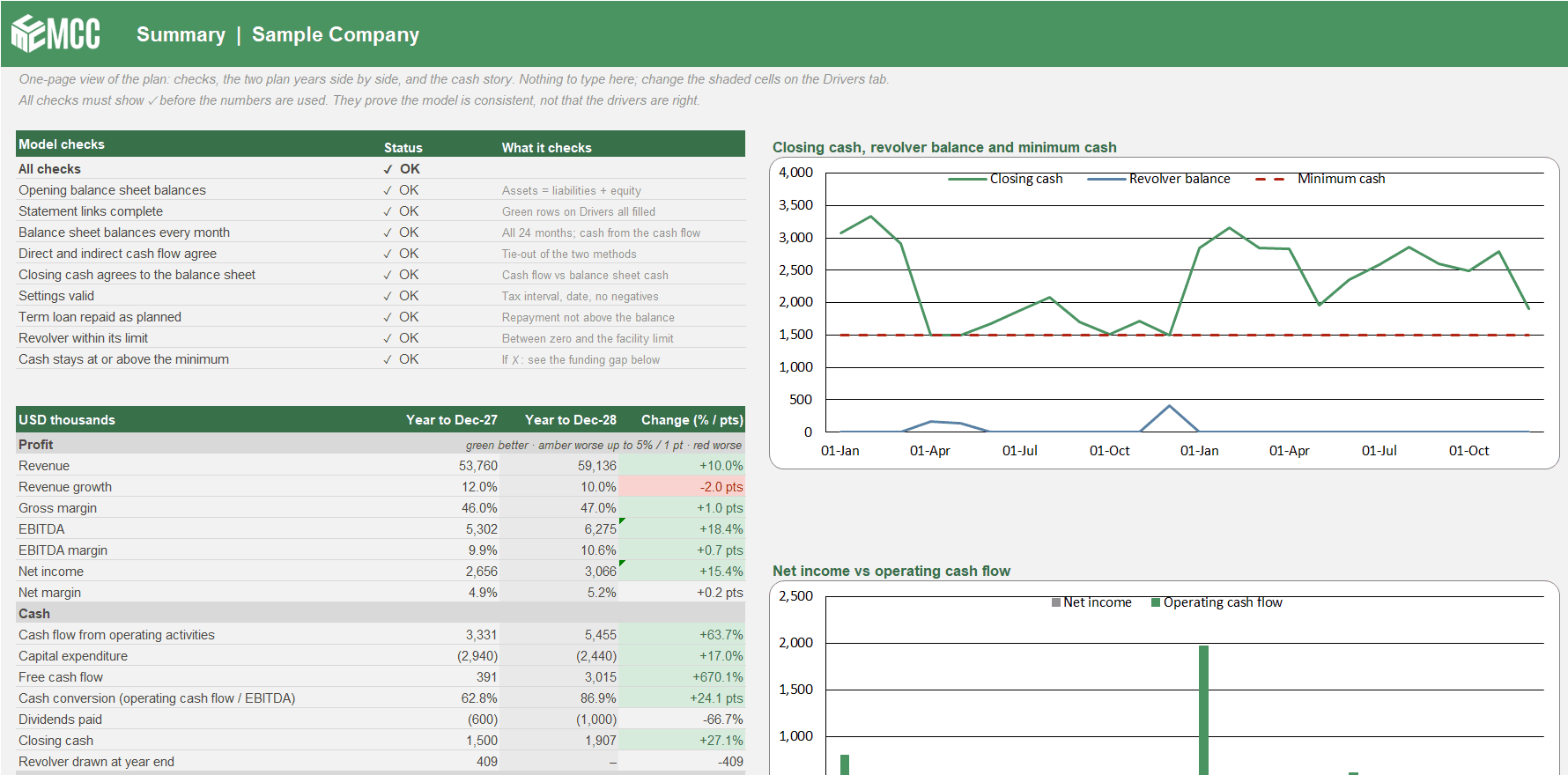
Three-Statement Driver Model
Your P&L, balance sheet and cash flow linked month by month for 24 months. Change a driver and profit, working capital, cash and the revolver all move together.
Free · ExcelDownload free
- Planning
- Hospitality
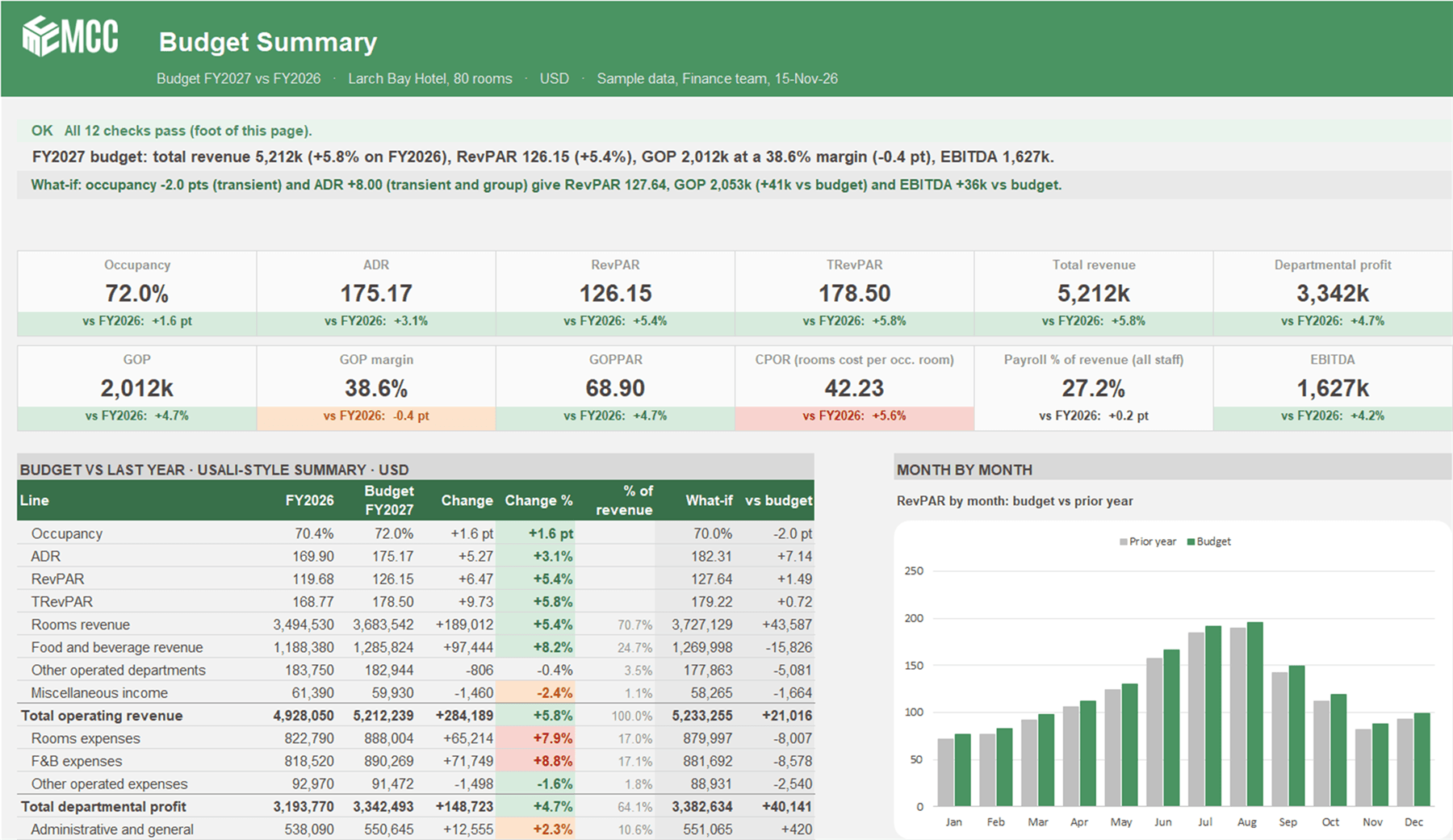
Hotel Budget by Department
A driver-based annual hotel budget. Occupancy and ADR by segment, covers by outlet, a USALI-style departmental P&L to GOP and EBITDA, and a what-if in one step.
Free · ExcelDownload free
Got a problem a template doesn't cover?
Talk to our team about it. Not ready for a call? Watch the Finance Speedrun and see how we solve a real finance problem live every week.