
Free three-statement driver model template
See what your plan does to cash, month by month.
Most plans stop at the P&L. The balance sheet and cash flow get worked out separately, if at all, so the cash impact of a plan is a guess. This template links all three statements to one set of drivers. Change growth, margin, collections or capex and it shows up in cash straight away.
Free · Excel
Highlights
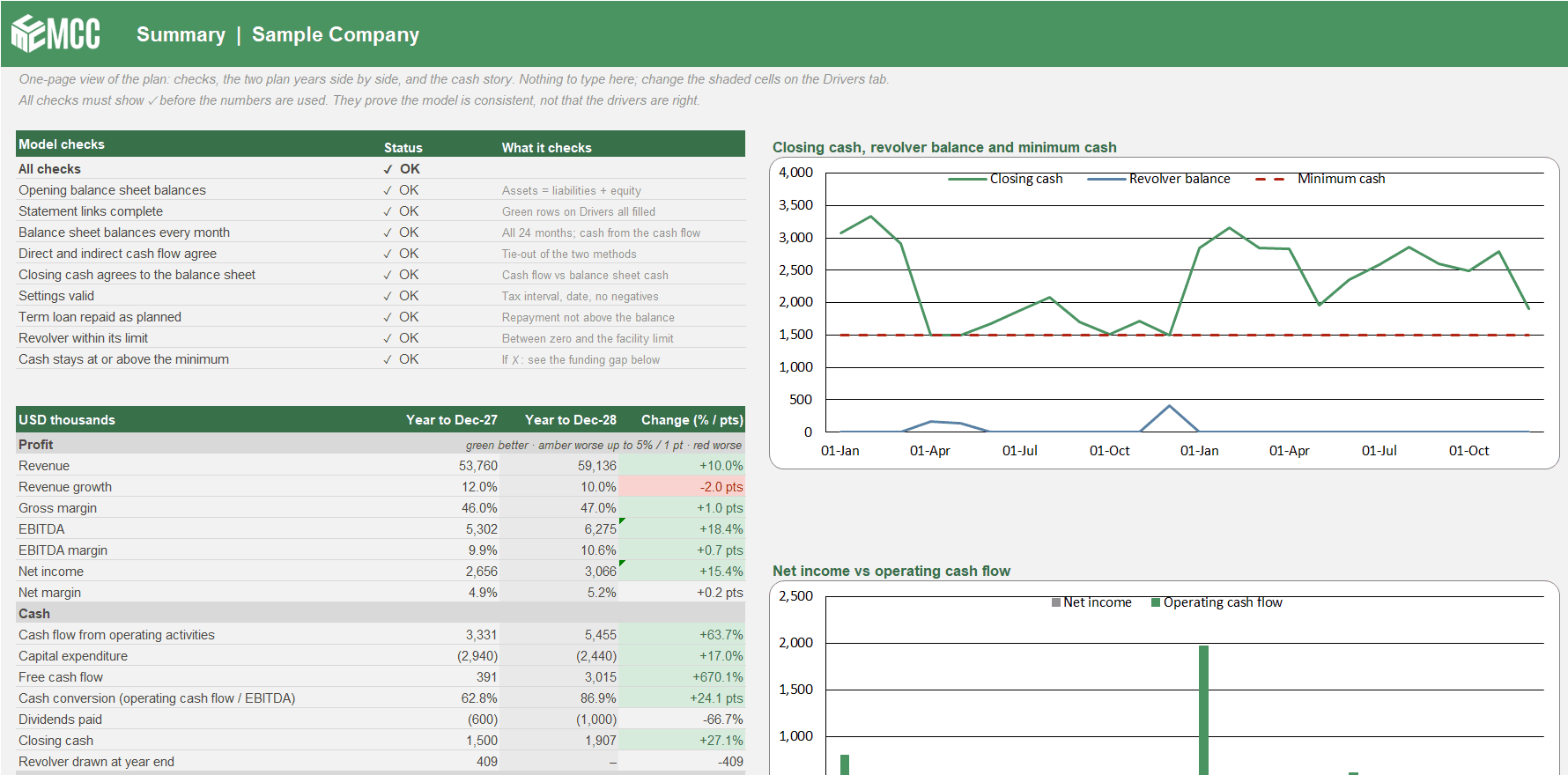
Profit and cash, side by side
The cash flow is shown both ways, direct and indirect, from the same numbers. A check proves they agree every month.
The revolver handled for you
It draws to protect your minimum cash and repays when cash allows. If the facility is not enough, the model flags the gap.
Nine checks before anyone sees it
The balance sheet balances in all 24 months, cash ties to the balance sheet, and the revolver stays within its limit.
Why link all three statements?
"We're profitable, so why is cash tight?" The indirect cash flow walks from net income to operating cash flow line by line: receivables, inventory, payables, accruals and tax. A chart puts net income and operating cash flow side by side for each month.
"What is one more day of DSO worth?" Change DSO, DIO or DPO and watch working capital, the cash conversion cycle and closing cash move. A plan that only lives in the P&L cannot answer that.
Where CFOs use it
- Annual budgeting: test whether the budget can be funded before it is approved.
- Monthly reforecast: update the drivers and see the new year-end cash and debt.
- Board reporting: a one-page Summary with two plan years side by side.
- Lender talks: show the revolver need, net debt to EBITDA and interest cover month by month.
What's inside
One input tab, three statements and a one-page Summary. Everything that isn't a shaded input is a formula.
Drivers
The only input tab, in four sections: settings, the opening balance sheet, seventeen green statement links (the only rows the statements take driver values from) and sample driver logic you can edit or replace with your own.
Summary
The nine model checks, key figures for both plan years with the change between them, a cash watch on the 24 months and two charts. Nothing to type here.
P&L
Revenue to net income, with margin and interest cover. Tax losses are used before any tax is due.
Balance Sheet
Monthly balances with a balance check, plus working capital, liquidity and debt ratios.
Cash Flow
Indirect and direct methods, tie-out checks, free cash flow, and the revolver and minimum cash calculation.
About Vena and MCC
Who built the template, and what changes when you run the same logic in Vena.
One file, every statement
The same model whether you keep the sample drivers or point the green link rows at your own.
- Three-Statement Driver Model
Monthly P&L, balance sheet and cash flow for a 24-month plan.
The year-over-year KPIs any CFO uses, for both plan years: revenue growth, gross, EBITDA and net margin, free cash flow, cash conversion, net working capital, DSO, DIO, DPO, cash conversion cycle, current ratio, net debt, net debt to EBITDA and interest cover.
Tabs
- About Vena and MCC
- Summary
- Drivers
- P&L
- Balance Sheet
- Cash Flow
How to use it
Step 1: Fill in the settings
Company name, unit, first forecast month, minimum cash, revolver limit, interest and tax rates.
Step 2: Enter the opening balance sheet
Your last actual month end. A check tells you if it doesn't balance.
Step 3: Set the drivers
Growth, gross margin, headcount, DSO, DIO, DPO, capex, debt and dividends. Shaded cells are inputs, everything else is a formula.
Step 4: Read the Summary
Every check must show a tick before the numbers are used. They prove the model is consistent, not that the drivers are right.
Questions about the template
Is the template really free?
Yes. Leave your name and work email and the download appears right away. The file is yours to keep and change.
Do I need Vena to use it?
Not to start. The three-statement model runs in plain Excel, with no macros and no add-ins. Vena comes in when drivers need to come from departments and many people, or when you want scenarios, approvals and an audit trail.
Can I use my own drivers?
Yes. The statements take their driver values only from the seventeen green link rows on the Drivers tab. Build your own drivers, point the green rows at them and the three statements keep working.
How is it different from the 13-week cash flow forecast?
This model is the monthly plan, P&L, balance sheet and cash flow over 24 months. The 13-week forecast is the week-by-week treasury view for the next quarter. Use both, this model for the plan and the 13-week file for near-term cash.
Is the sample data real?
No. The company and its numbers are made up, a generic mid-size company with about 54 million in revenue in the first plan year, shown in USD thousands.
The company and figures in this template are made-up sample data. MCC is an independent Vena partner.
Last updated
From a spreadsheet to a process you can trust
When the drivers need to come from departments and many people, when actuals should load automatically, or when you want scenarios, approvals and an audit trail, MCC can run the same logic in Vena for you.
Talk to our team- 1
Use this template
Free, in plain Excel. Change the shaded inputs and the rest updates.
- 2
Have MCC set it up in Vena
Keep the Excel layout, and add one Vena data model, approvals and an audit trail. We build it and check that it ties.
More templates
- Cash
- Forecasting
13-Week Cash Flow Forecast
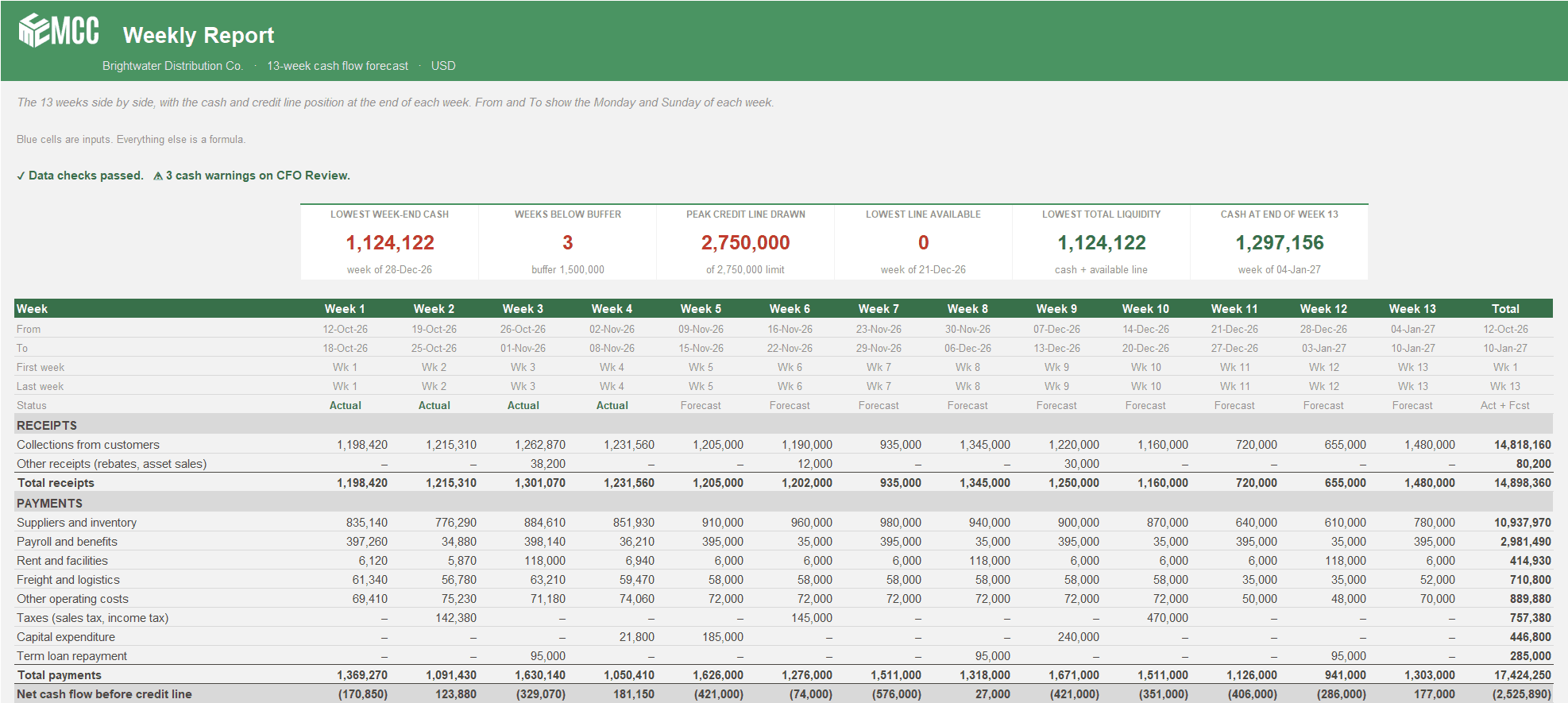
See every week of cash for the next quarter, when you'll touch the credit line, and whether the bank statement agrees. Two versions, Weekly or Weeks + Months.
Free · Excel, 2 versions: Weekly and Weeks + MonthsDownload free
- Planning
- Hospitality
Hotel Budget by Department
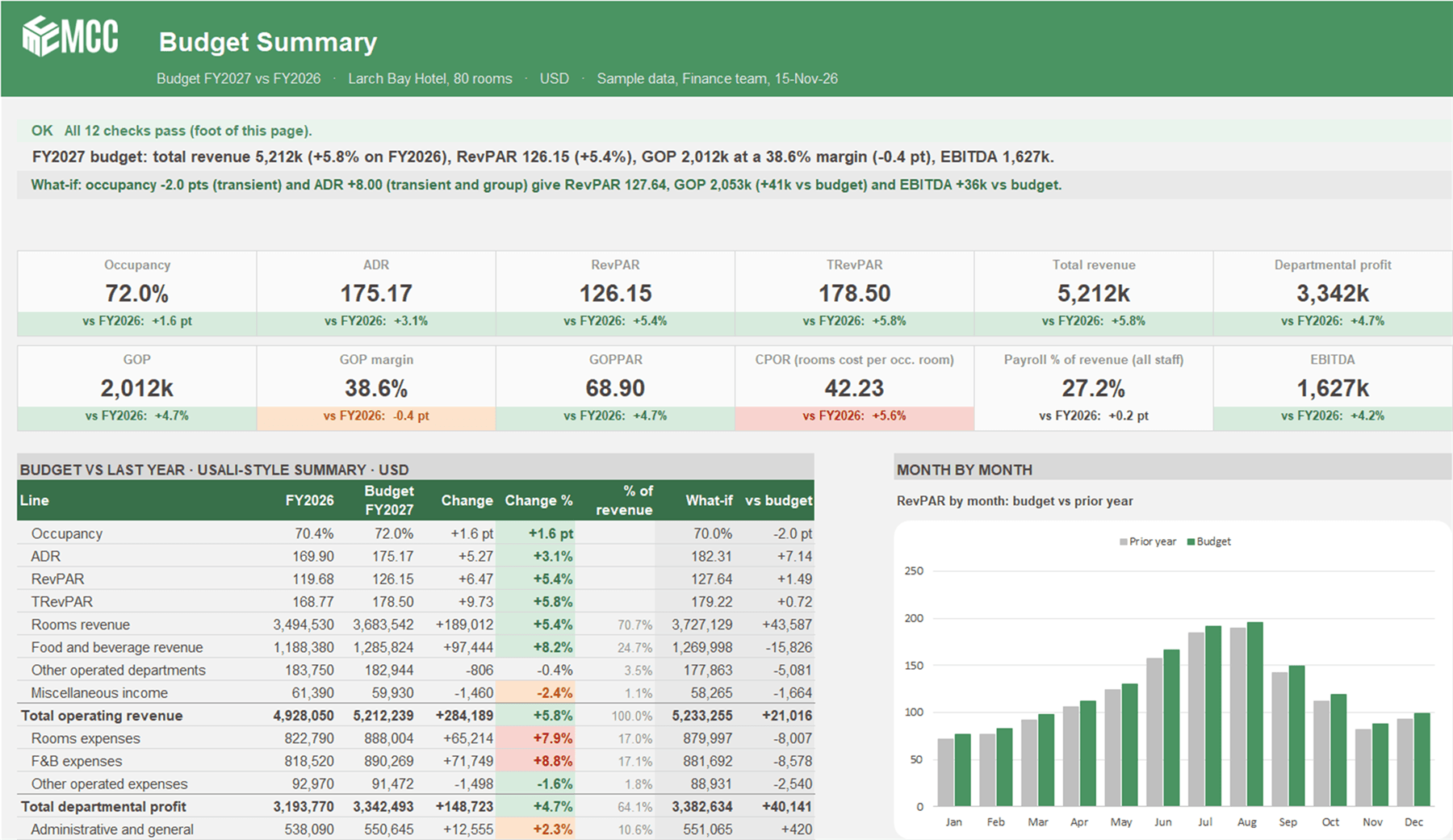
A driver-based annual hotel budget. Occupancy and ADR by segment, covers by outlet, a USALI-style departmental P&L to GOP and EBITDA, and a what-if in one step.
Free · ExcelDownload free
- Hospitality
- Planning
Hotel Renovation and Expansion Budget
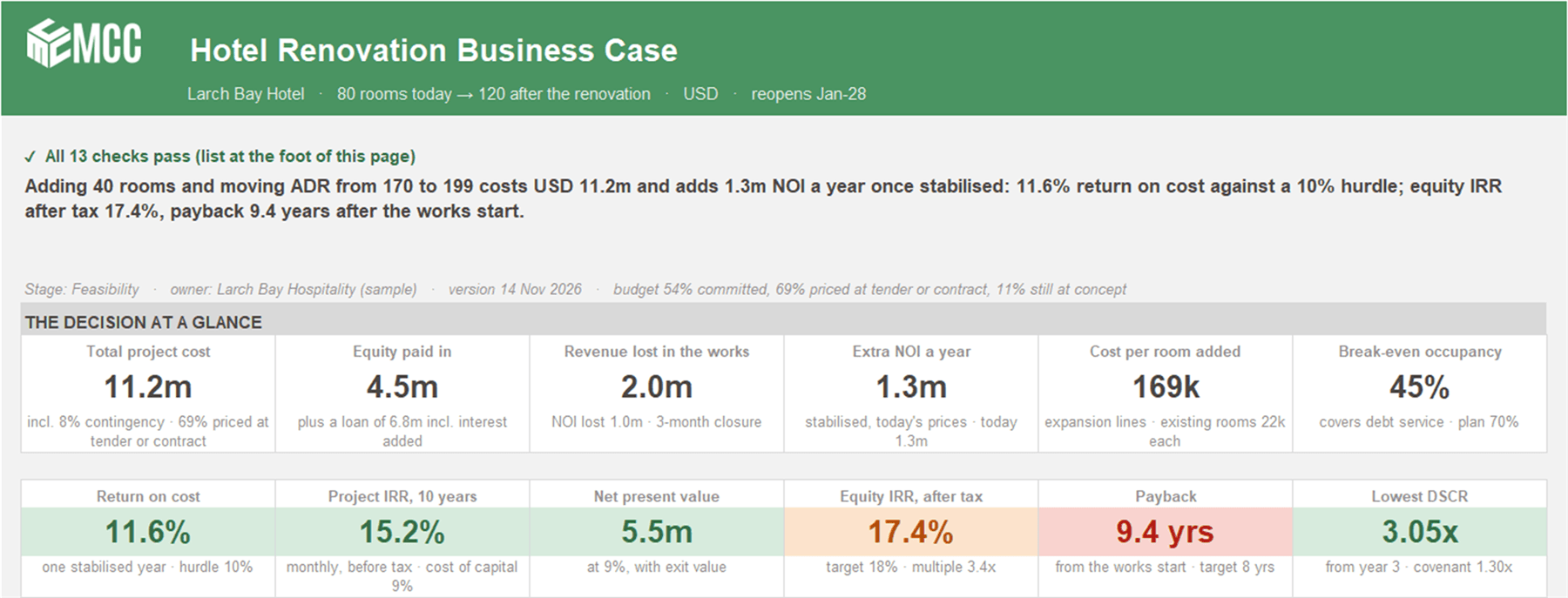
Is the renovation worth it? Renovate against doing nothing, month by month for 10 years, with closure, ramp-up, the loan, equity returns and seven stress tests.
Free · ExcelDownload free
Got a problem a template doesn't cover?
Talk to our team about it. Not ready for a call? Watch the Finance Speedrun and see how we solve a real finance problem live every week.