
Free hotel budget template
Build next year's hotel budget from the drivers, not last year plus a percentage.
Most hotel budgets start as last year's P&L plus a percentage. This template builds the budget the way operators think. You enter occupancy and ADR by month for transient, group and contract business, covers and average checks by outlet, and the cost drivers of each department. It builds a monthly departmental P&L down to GOP and EBITDA, compares every line with last year and shows what a change in occupancy or rate does to GOP.
Free · Excel
Highlights
Two points of occupancy for eight dollars of rate?
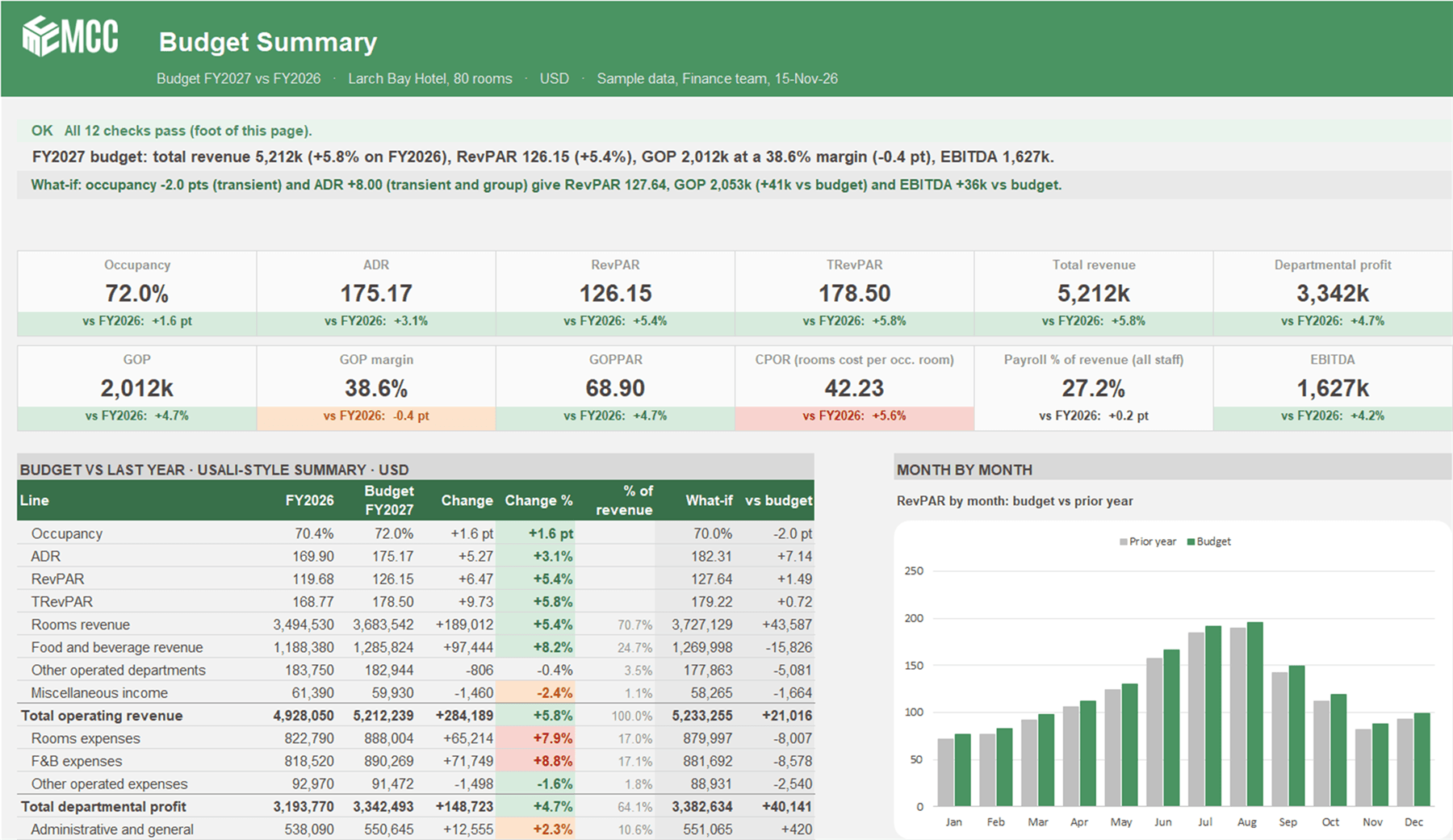
Two what-if levers run a second P&L next to the budget, with every cost driver kept, so you see the flow-through to GOP and EBITDA. In the sample, the higher rate more than pays for the lost occupancy.
The budget on one page
Twelve KPI tiles from occupancy, ADR and RevPAR to GOPPAR, CPOR, payroll as a share of revenue and EBITDA, and a USALI-style summary against last year with traffic lights.
Twelve checks before the owner sees it
Occupancy never over 100%, last year complete and reconciled to your ledger and PMS, totals that tie and GOP rebuilt line by line. They prove the model adds up, not that the assumptions are right.
Why build a hotel budget from drivers?
A hotel budget built from drivers shows why the numbers move. Rooms revenue is rooms sold times rate by segment, F&B is covers times average check by outlet, and costs move with occupied rooms or revenue. Last year plus a percentage hides all of that.
Drivers also answer the questions owners ask. Change a driver and the departmental P&L, the KPIs and the comparison with last year all update, so the answer to a what-if is one step away.
Where hotel CFOs and controllers use it
- The annual budget cycle, built from drivers and presented to the owner or asset manager on one page.
- Owner and management company talks about what a rate or occupancy change does to GOP and to the base and incentive fees.
- Re-running the budget mid-year with updated drivers, compared with last year line by line.
- Board and investor packs, with the Budget Summary printed on one landscape page.
What's inside
Six tabs. On the working tabs only the blue cells are inputs, everything else is a formula.
About Vena and MCC
Who built the template, and what changes when the same budget runs in Vena.
Use with AI
Eleven ready-made prompts for the AI assistant your company already uses, and a context block that tells the AI how the file works.
Budget Summary
The headline, the what-if line, twelve KPI tiles, the USALI-style summary against last year and the what-if, RevPAR and GOP by month, and the twelve checks.
Assumptions
Every budget input in nine sections. Property and settings, what-if levers, rooms by month, F&B, other income, department cost drivers and FTEs, undistributed costs, fees and costs below GOP, and the budget status, GOP margin target and traffic-light thresholds.
Departmental P&L
Twelve budget months, the budget year, last year and the change, plus the what-if months and year, down to GOP, EBITDA and EBITDA less FF&E reserve. A labour memo shows payroll and FTEs by department.
Prior Year
Last year by month, actual months and latest forecast, on the same rows as the P&L, plus a block that reconciles the year to your ledger and PMS totals.
One file, the whole budget
Enter the drivers on Assumptions and last year on Prior Year. The P&L and the summary build themselves.
- Hotel Budget by Department
The yearly operating budget for one hotel with rooms, F&B and events.
Rooms by segment, a restaurant, a bar and banqueting, other operated departments, five undistributed lines, the base and incentive management fees, property taxes, insurance, rent and the FF&E reserve. The incentive fee follows the basis in your management agreement: monthly GOP, annual GOP or annual GOP above the owner's priority. EBITDA less FF&E reserve is an operating measure, not cash flow.
Tabs
- About Vena and MCC
- Use with AI
- Budget Summary
- Assumptions
- Departmental P&L
- Prior Year
How to use it
Step 1: Load last year
Paste last year's figures into the Prior Year tab, then type five year totals from your ledger and PMS so last year reconciles.
Step 2: Set the drivers
Occupancy and ADR by month and segment, covers and checks, cost drivers, FTEs, undistributed costs and fees on Assumptions.
Step 3: Test a what-if
Move the occupancy and rate levers and read the flow-through to GOP and EBITDA on the Budget Summary.
Step 4: Read the checks
All twelve should show OK before the budget goes to the owner. A red banner appears if the GOP margin falls below your target.
Use it with AI
The file comes with a Use with AI tab. Attach a copy of the file to the AI assistant your company allows, paste a prompt and fill in the brackets. Each prompt tells the AI to read the tab first, so it knows how the file works and what not to break.
- Eleven ready-made prompts, from setting the file up for your hotel and loading last year from your reports to writing the budget commentary and reviewing it like an owner.
- A check of your management agreement's fee terms against the fee settings in the file.
- AI can be wrong. Check its numbers against the file and keep all twelve checks showing OK before you share anything.
Questions about the template
Is the hotel budget template really free?
Yes. Leave your name and work email and the download appears right away. The file is yours to keep and change.
Do I need Vena to use it?
Not to start. The hotel budget template runs in plain Excel, with no macros and no add-ins. Vena comes in when department heads enter their own drivers, approvals are needed, or several properties and monthly actuals from the PMS and the ledger have to live in one place.
Is it the full USALI reporting package?
No. The template is a USALI-style summary down to GOP, EBITDA and EBITDA less FF&E reserve, with a departmental P&L for rooms, food and beverage and other operated departments. It does not include every departmental schedule.
Does it work out the management incentive fee?
Yes. Pick the basis from your management agreement (monthly GOP, annual GOP or annual GOP above the owner's priority) and set the rate. A check confirms the year's fee matches the basis.
Can I use it with ChatGPT, Claude or Copilot?
Yes. The Use with AI tab has eleven ready-made prompts and a context block for any AI assistant your company allows. Check the AI's numbers against the file before you use them.
Is the sample data real?
No. Larch Bay Hotel, a made-up 80-room hotel, and its numbers are made up, so you can see how the budget works before you type in your own.
The company, customers and figures in this template are made-up sample data. MCC is an independent Vena partner.
Last updated
From a spreadsheet to a process you can trust
When department heads need to enter their own drivers, or several hotels and monthly actuals from the PMS and the ledger come in, MCC can set the same budget up in Vena for you.
Talk to our team- 1
Use this template
Free, in plain Excel. Change the blue inputs and the rest updates.
- 2
Have MCC set it up in Vena
Keep the Excel layout, and add one Vena data model, approvals and an audit trail. We build it and check that it ties.
More templates
- Hospitality
- Planning
Hotel Renovation and Expansion Budget
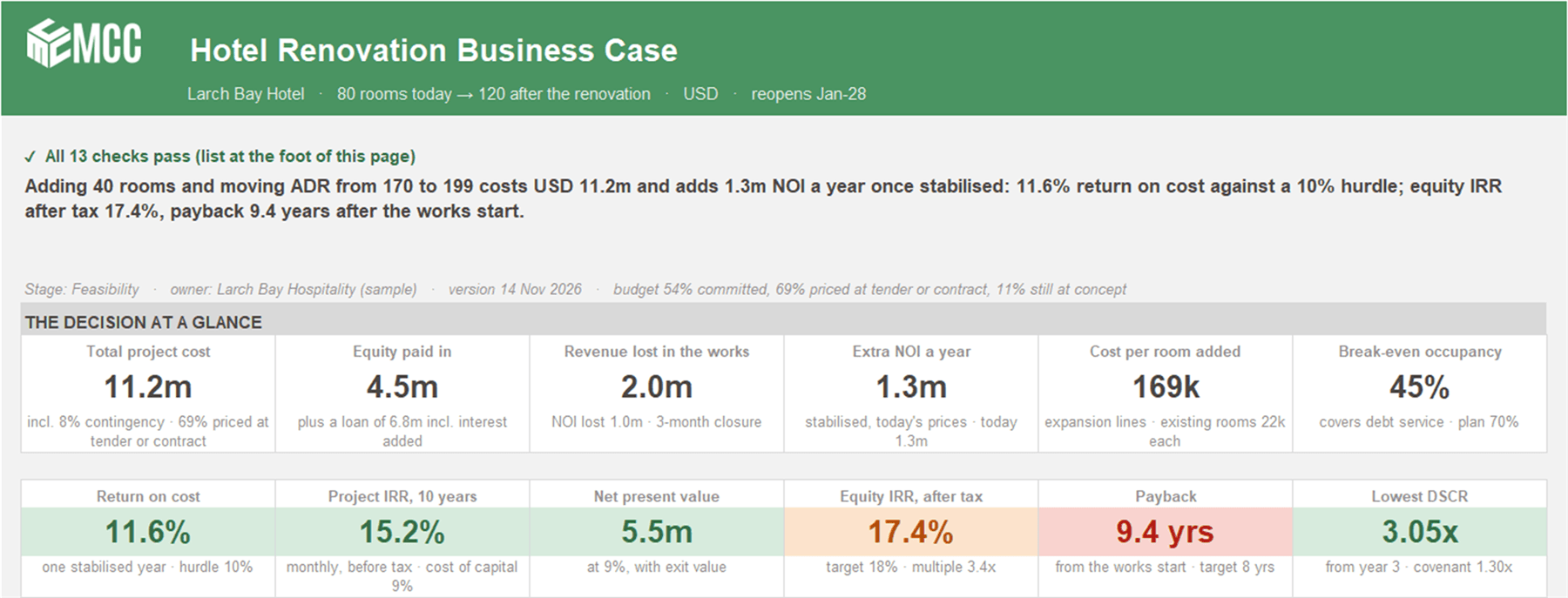
Is the renovation worth it? Renovate against doing nothing, month by month for 10 years, with closure, ramp-up, the loan, equity returns and seven stress tests.
Free · ExcelDownload free
- Planning
- Forecasting
- Cash
Three-Statement Driver Model
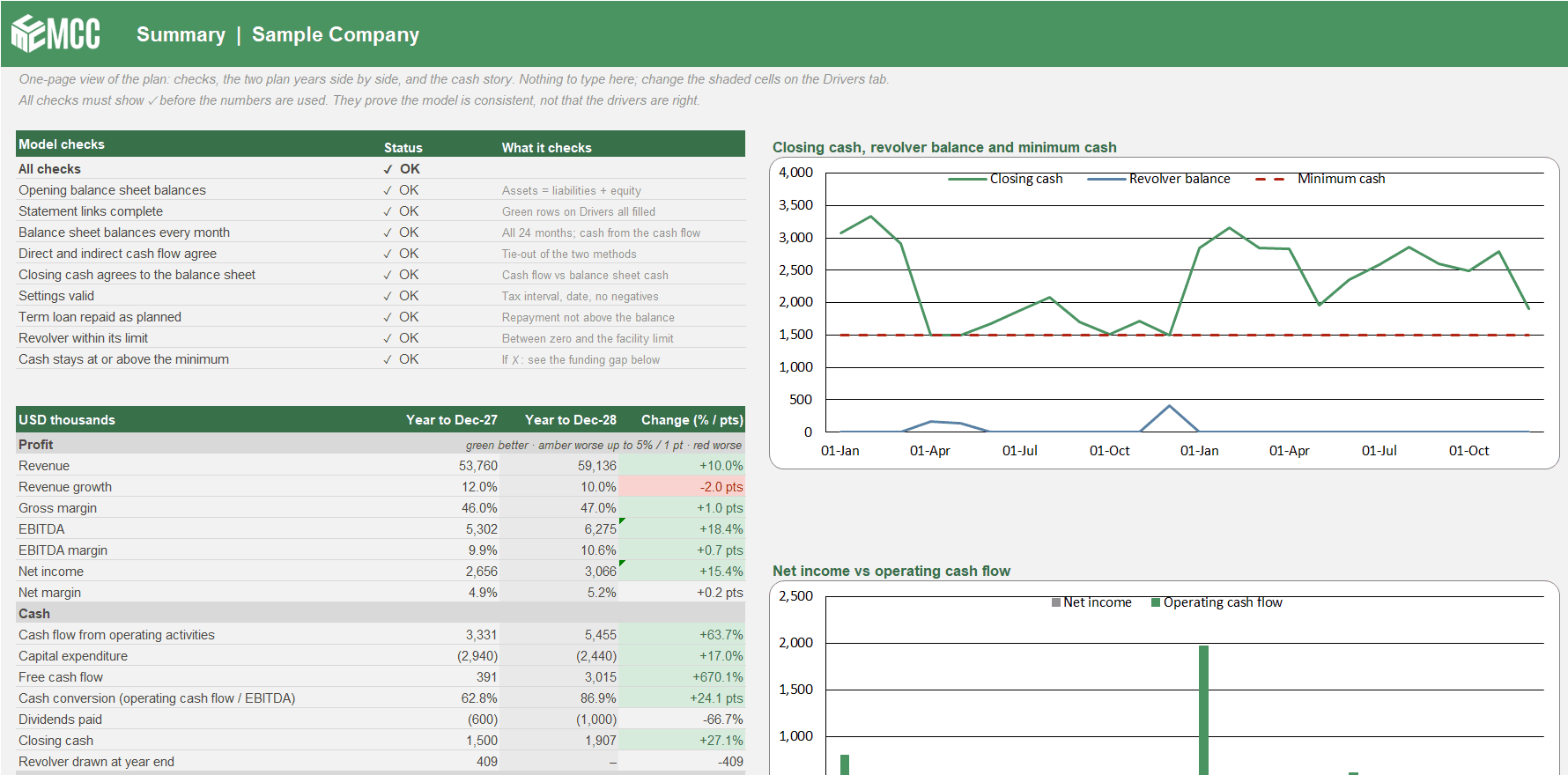
Your P&L, balance sheet and cash flow linked month by month for 24 months. Change a driver and profit, working capital, cash and the revolver all move together.
Free · ExcelDownload free
- Cash
- Forecasting
13-Week Cash Flow Forecast
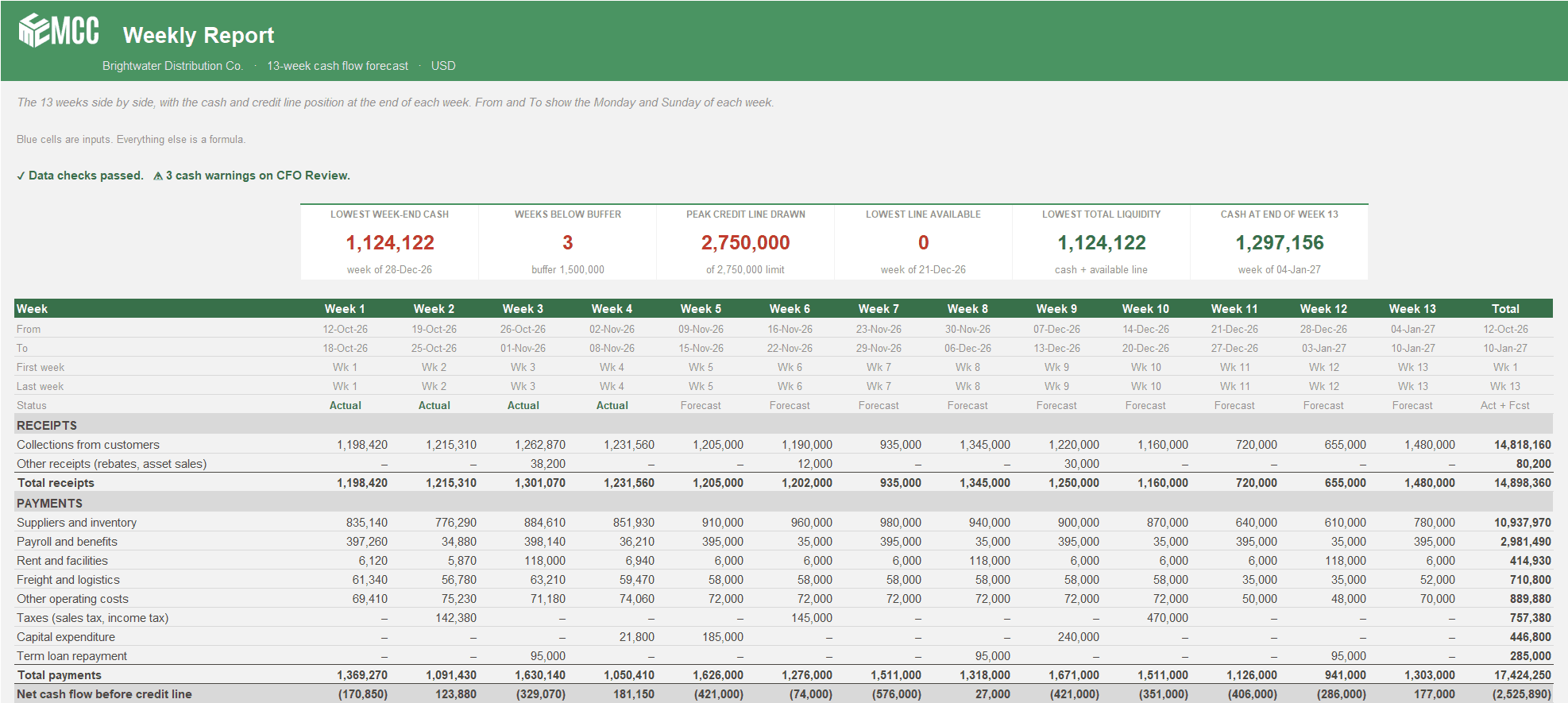
See every week of cash for the next quarter, when you'll touch the credit line, and whether the bank statement agrees. Two versions, Weekly or Weeks + Months.
Free · Excel, 2 versions: Weekly and Weeks + MonthsDownload free
Got a problem a template doesn't cover?
Talk to our team about it. Not ready for a call? Watch the Finance Speedrun and see how we solve a real finance problem live every week.