
Free group pace report template
Ahead of last year, behind budget, and the two gaps kept apart.
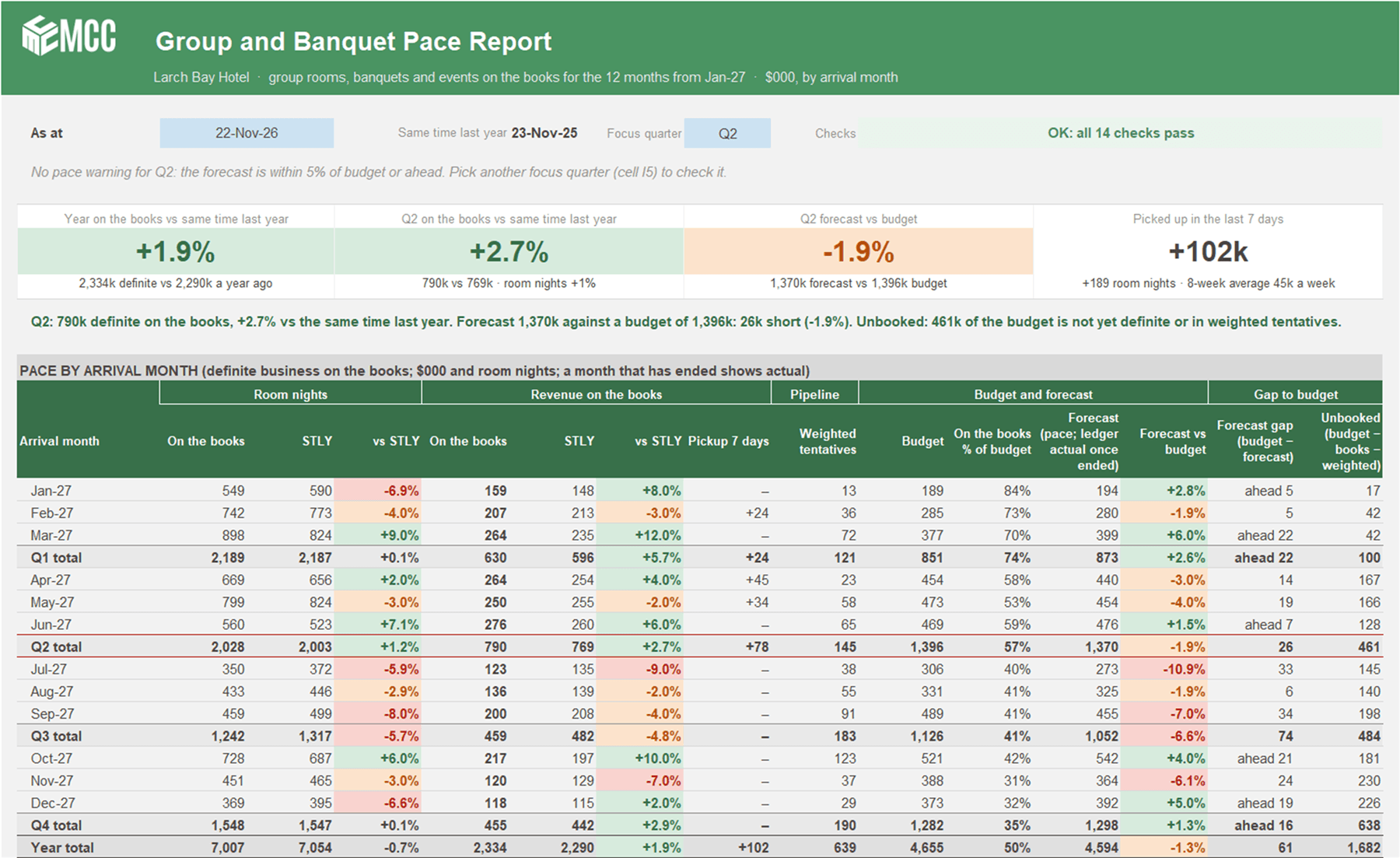
Every Monday someone asks whether group business is ahead or behind for the quarter, and whether it will make budget. This template turns a plain list of group and event bookings into that answer by arrival month. You paste the bookings, enter last year's pace and your budget, and it shows definite business against the same time last year, a pace forecast with its gap to budget, the business still to sell, weekly pickup, profit by segment, deposits due and a night-by-night displacement check for any group on the list.
Free · Excel
Highlights
Two gaps, never mixed up
The forecast gap (budget minus the pace forecast) is the P&L view. The unbooked gap (budget minus definite and weighted tentatives) is the sales target. In the sample, Q2 is 2.7% ahead of last year, 26k short of budget on the forecast, with 461k still to sell.
Should we take this group at this rate?
The Displacement tab compares a group's contribution with the transient profit it pushes out, night by night, and gives the lowest rate that still adds profit. In the sample, a September coach tour at 139 costs profit, and the file says to quote at least 151.
Fourteen checks and a line check on every booking
Real dates in the right order, a probability on every open tentative, the month table tied to the booking list, weekly pickup tied to new minus cancelled, and a ledger actual for every month that has ended.
Why run a group pace report?
A group pace report shows whether group and event business on the books is ahead or behind the same time last year, month by month. Comparing with the final result of last year says nothing in November about next June. Comparing with what was on the books at this point last year does.
The pace forecast grows what is on the books the way last year's months grew from the same point, or the average of the last two years. Once a month has ended, the group pace report uses the actual group revenue from your ledger, not the booking value.
Where hotel CFOs and finance teams use it
- The Monday pace review with the director of sales.
- The monthly reforecast, with the pace forecast and the forecast gap feeding the group line.
- Owner reporting, with the headline, the two gaps and a commentary box on the Pace Report.
- Cash planning, with deposits overdue and still to come by arrival month.
What's inside
Eight tabs. On the working tabs only the blue cells are inputs, everything else is a formula.
About Vena and MCC
Who built the template, and what changes when the same report runs in Vena.
Use with AI
Eleven ready-made prompts for the AI assistant your company already uses, and a context block that tells the AI how the file works.
Pace Report
The as-at date and focus quarter, the checks status, a warning banner, four tiles, an automatic headline, the 12-month pace table with quarter totals, a commentary box, two charts and the fourteen checks.
Pickup and Pipeline
Eight weeks of pickup, pace by month now, a week ago and four weeks ago, profit by segment, conversion and cancellations by segment, deposits and the top 10 open tentatives.
Displacement
Transient demand and value by month, a day-of-week pattern and flow-through by segment, plus a one-group check with monthly and night-by-night results and a verdict.
Bookings
One line per group or event with dates entered, signed and lost, probability, arrival, nights, rooms, rate, banquet F&B, rental and deposit, and a calculated status, revenue and line check.
Pace History
One row of values a week, so history never changes when a booking is edited later. Next year it becomes your same time last year.
Budget and Last Year
Settings, the group budget by month, same time last year, last year's final result, two years ago, the pace curve and the ledger actual for each month that has ended.
One file, the whole weekly pace review
Paste the bookings, set the dates and enter last year's pace. The report builds itself.
- Group and Banquet Pace Report
The weekly group and event pace review for one hotel.
Revenue is group rooms, banquet food and beverage and meeting room rental, counted in the arrival month, the usual commercial pace basis. Deposits are shown as cash, separate from revenue. The checks prove the file is consistent, not that the bookings or the budget are right.
Tabs
- About Vena and MCC
- Use with AI
- Pace Report
- Pickup and Pipeline
- Displacement
- Bookings
- Pace History
- Budget and Last Year
How to use it
Step 1: Set it up once
Rooms, the first month, segments, the group budget, last year's final and two years ago on Budget and Last Year, then transient demand, the day-of-week pattern and flow-through on Displacement.
Step 2: Paste the bookings
Paste this week's export from your sales and catering system onto Bookings and set the export and as-at dates.
Step 3: Enter last year's pace
The same time last year figures for the matching date and the ledger actual for any month that has ended. Then pick the focus quarter and read the Pace Report.
Step 4: Check and keep the history
All fourteen checks should show OK. Then paste this week's row into Pace History as values.
Use it with AI
The file comes with a Use with AI tab. Attach a copy of the file to the AI assistant your company allows, paste a prompt and fill in the brackets. Each prompt tells the AI to read the tab first, so it knows how the file works and what not to break.
- Eleven ready-made prompts, from fitting the file to your hotel and the weekly update to the weekly pace note and rolling into next year.
- A "should we take this group?" prompt that works through the Displacement tab.
- AI can be wrong. Check its numbers against the file and keep all fourteen checks showing OK before you share anything.
Questions about the template
Is the group pace report template really free?
Yes. Leave your name and work email and the download appears right away. The file is yours to keep and change.
Do I need Vena to use it?
Not to start. The group pace report template runs in plain Excel, with no macros and no add-ins. Vena comes in when bookings come from more than one property, or pace has to tie to the full budget and forecast with every snapshot kept.
What does same time last year (STLY) mean here?
Same time last year is what was on the books for last year's months at the matching date, 364 days earlier on the same weekday. You enter it each week from last year's pace report or your Pace History.
Why are weighted tentatives not added to the forecast?
The pace forecast already includes the pickup still to come, because it grows today's business the way last year's months grew. Weighted tentatives sit in the unbooked gap instead, which is the sales target.
Can I use it with ChatGPT, Claude or Copilot?
Yes. The Use with AI tab has eleven ready-made prompts and a context block for any AI assistant your company allows. Check the AI's numbers against the file before you use them.
Is the sample data real?
No. Larch Bay Hotel, a made-up 120-room hotel, and its bookings are made up, so you can see how the report works before you paste in your own.
The hotel, groups and figures in this template are made-up sample data. MCC is an independent Vena partner.
Last updated
From a spreadsheet to a process you can trust
When bookings come from several hotels, or group pace has to tie to the budget and forecast with every snapshot kept, MCC can set the same report up in Vena for you.
Talk to our team- 1
Use this template
Free, in plain Excel. Change the blue inputs and the rest updates.
- 2
Have MCC set it up in Vena
Keep the Excel layout, and add one Vena data model, approvals and an audit trail. We build it and check that it ties.
More templates
- Cash
- Forecasting
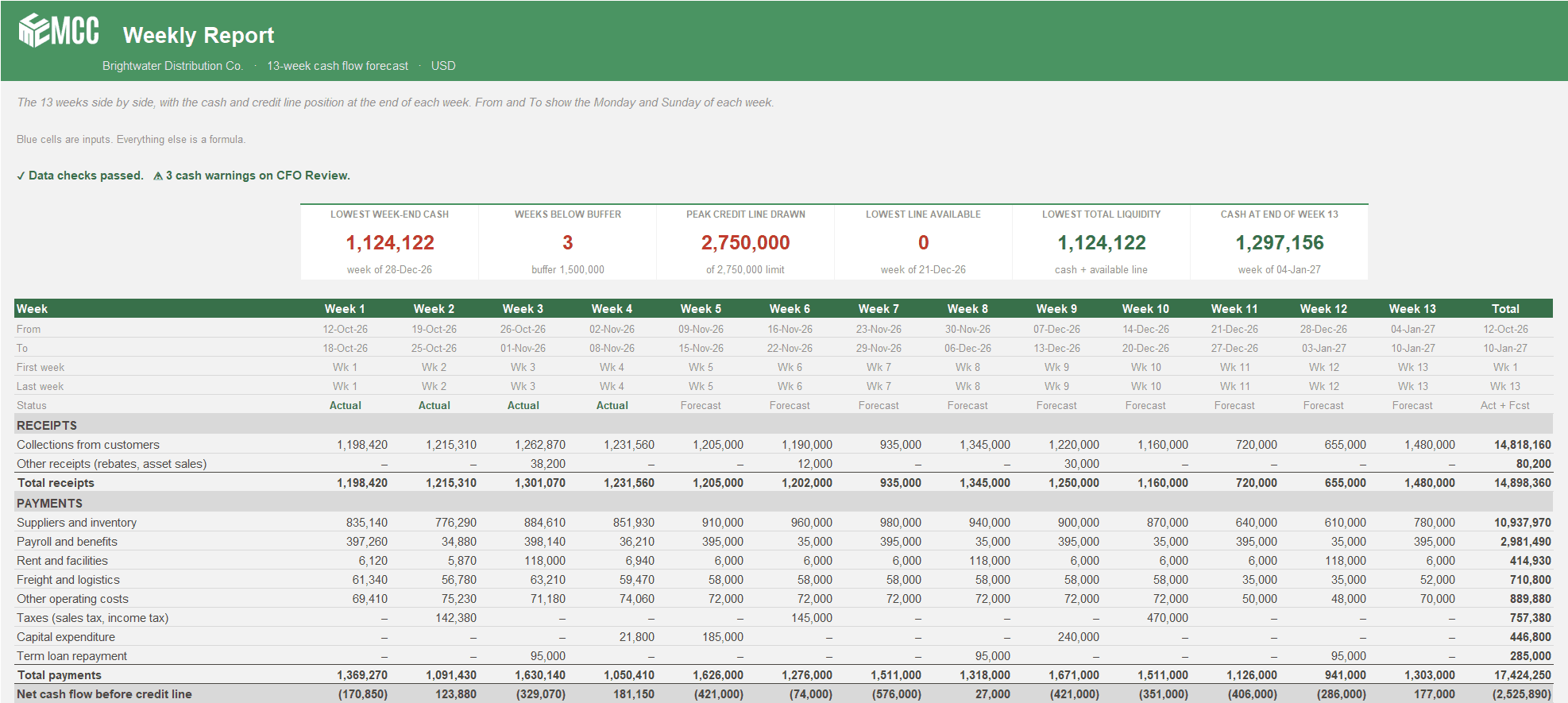
13-Week Cash Flow Forecast
See every week of cash for the next quarter, when you'll touch the credit line, and whether the bank statement agrees. Two versions, Weekly or Weeks + Months.
Free · Excel, 2 versions: Weekly and Weeks + MonthsDownload free
- Planning
- Forecasting
- Cash
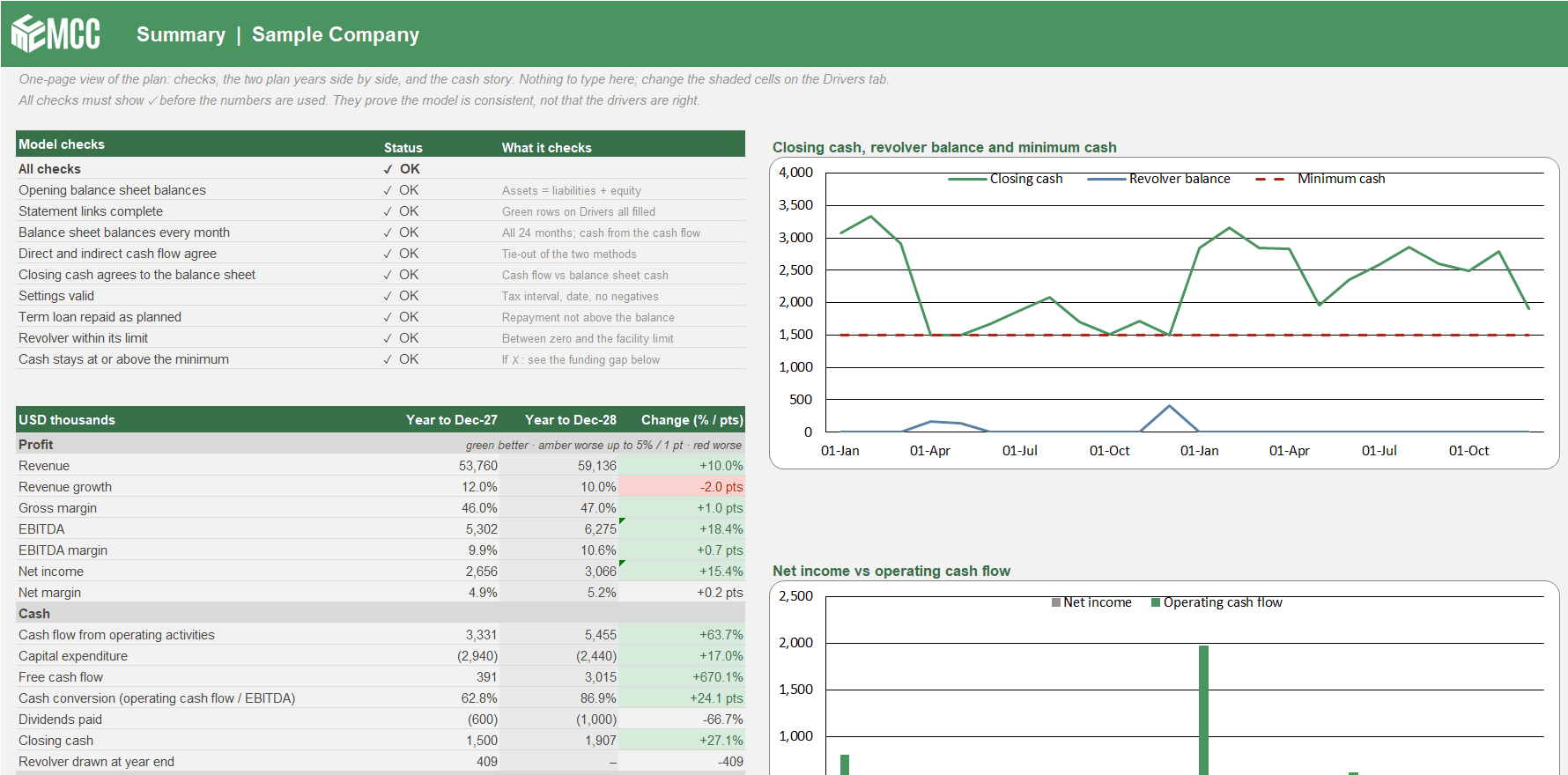
Three-Statement Driver Model
Your P&L, balance sheet and cash flow linked month by month for 24 months. Change a driver and profit, working capital, cash and the revolver all move together.
Free · ExcelDownload free
- Planning
- Hospitality
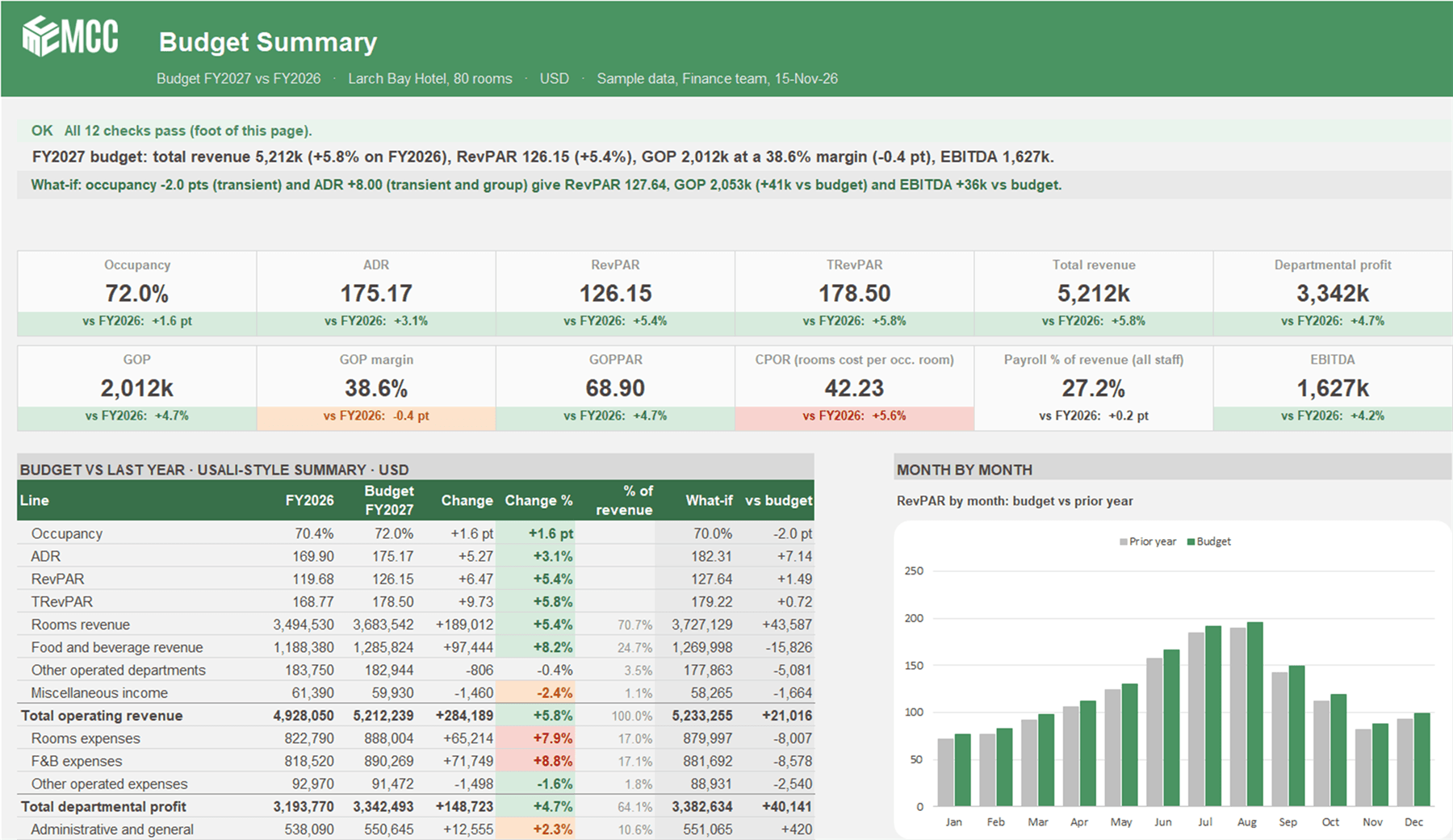
Hotel Budget by Department
A driver-based annual hotel budget. Occupancy and ADR by segment, covers by outlet, a USALI-style departmental P&L to GOP and EBITDA, and a what-if in one step.
Free · ExcelDownload free
Got a problem a template doesn't cover?
Talk to our team about it. Not ready for a call? Watch the Finance Speedrun and see how we solve a real finance problem live every week.