
Free hotel labor cost template
Staff to the forecast, not to last year's habits.
Most hotel rotas carry the same hours every week, whatever the forecast says. This template turns demand into the hours each department should need, week by week, and puts your rota next to it. You set a standard for each department, then enter 13 weeks of occupied rooms, covers and hours from the rota or the time clock. It works out the gap in hours, estimated overtime, the weeks that need more than your team's straight-time capacity, wage cost per occupied room night or per cover, and labor % against your target.
Free · Excel
Highlights
Right on average, wrong every week
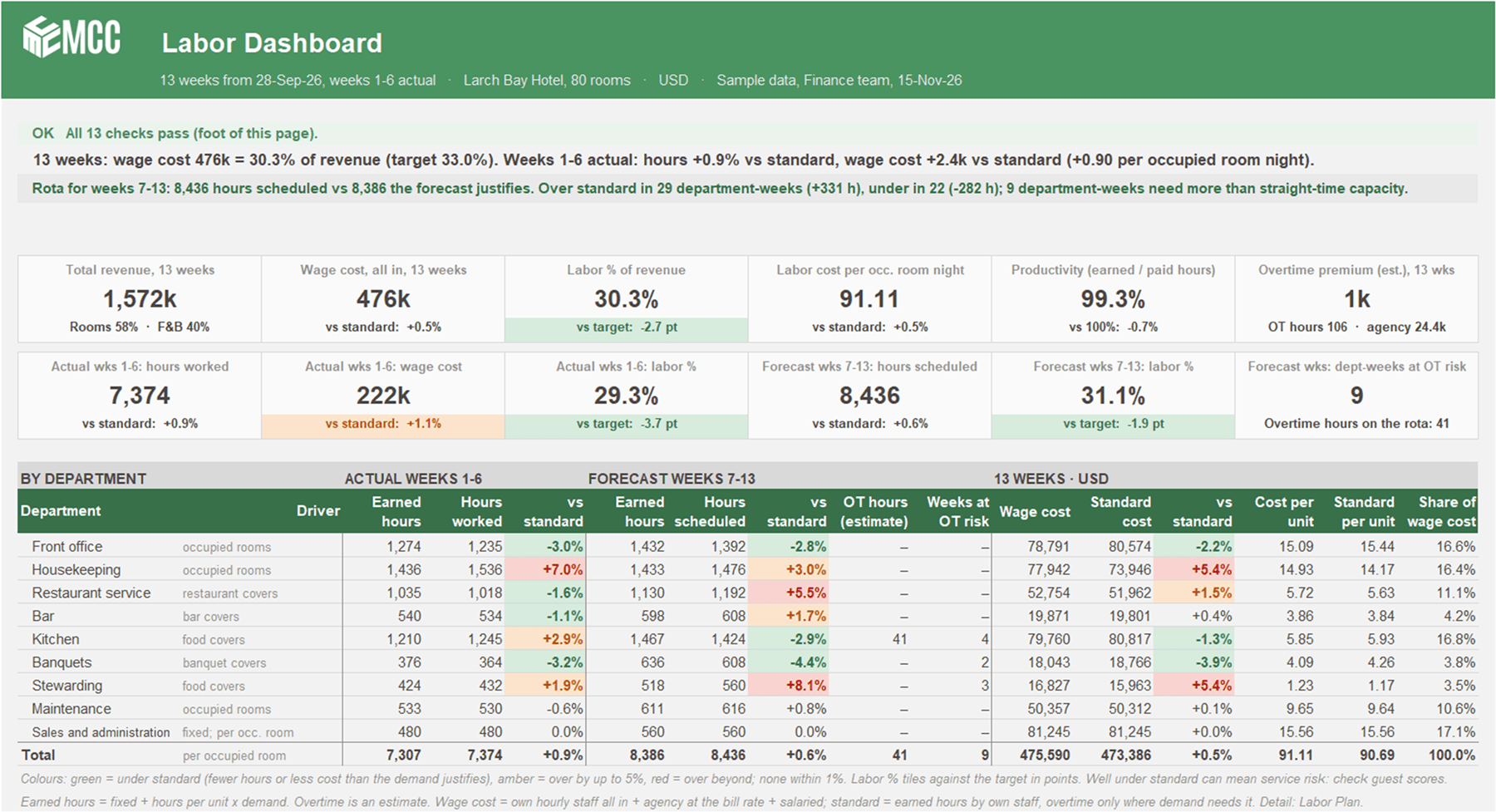
Earned hours sit next to the hours worked or scheduled for every department and week. In the sample, the rota for the next seven weeks is only 0.6% above standard in total, yet 29 department-weeks are over and 22 are under.
See the overtime before the week
Each department has a straight-time capacity from its staff and your overtime rule. The file flags the weeks where demand alone needs more, so you plan overtime, agency or hires early. In the forecast weeks the sample flags 9 department-weeks, in the kitchen, banquets and stewarding.
Thirteen checks, payroll included
Inputs complete, no actuals in forecast weeks, totals that tie, wage cost and earned hours rebuilt, and modelled hourly pay within tolerance of your payroll report. They prove the model adds up, not that the standards are right.
Why plan hotel labor from demand?
Hotel labor planned from demand shows where hours run ahead of the business and where a busy week will need overtime. Each department gets fixed hours plus hours per occupied room or per cover, so the hours the forecast justifies move with the forecast, and the rota is judged against that.
Planning from demand also puts wage cost in terms a general manager can hold a department to. The hotel labor cost template shows the variance per occupied room night and labor % of revenue by week, using actual F&B and other revenue in actual weeks, and occupied rooms, ADR and covers times average checks in forecast weeks.
Where hotel CFOs and controllers use it
- The weekly labor meeting, with last week against standard by department and the rota for the coming weeks against the forecast.
- The monthly reforecast, to see labor % before the month starts with the new occupancy and event pace.
- Budget season, to test the labor standards and wage rates the annual budget will be built on.
- Owner and management company reviews, with labor cost per occupied room night and productivity by department.
What's inside
Six tabs. On the working tabs only the blue cells are inputs, everything else is a formula.
About Vena and MCC
Who built the template, and what changes when the same plan runs in Vena.
Use with AI
Ten ready-made prompts for the AI assistant your company already uses, and a context block that tells the AI how the file works.
Labor Dashboard
The headline, the rota line, twelve KPI tiles, the department table for actual weeks, forecast weeks and all 13 weeks, hours and labor % charts by week, and the thirteen checks.
Settings and Standards
The property and the 13-week window, pay rules and capacity, and for nine departments a demand driver, fixed hours, hours per unit, hourly staff, rate, taxes and benefits, agency share and salaried managers. Plus the labor % target and thresholds.
Weekly Inputs
Thirteen weeks of occupied rooms, covers, ADR and average checks, hours by department (worked, then the rota), and for actual weeks the hourly payroll total and actual F&B and other revenue.
Labor Plan
The engine, week by week and department by department. Earned hours, the gap, overtime hours, overtime-risk flags, wage cost, standard cost and cost per unit, with totals for 13 weeks, actual weeks and forecast weeks.
One file, the whole labor plan
Set the standards once on Settings and Standards and fill in Weekly Inputs each week. The plan and the dashboard build themselves.
- Labor Productivity and Wage Cost Planner
Weekly labor hours and wage cost for one hotel, flexed to demand.
Nine departments from front office and housekeeping to kitchen, banquets and maintenance, each driven by occupied rooms, restaurant, bar, banquet or food covers, or fixed hours only. Wage cost is all in: hourly pay with taxes and benefits, the overtime premium, agency hours at the agency bill rate and salaried managers. Overtime is an estimate per department and week, not payroll overtime.
Tabs
- About Vena and MCC
- Use with AI
- Labor Dashboard
- Settings and Standards
- Weekly Inputs
- Labor Plan
How to use it
Step 1: Set the standards
For each department, pick the driver and enter fixed hours, hours per unit, hourly staff, rate, taxes and benefits and agency share.
Step 2: Enter the weeks
Occupied rooms, covers and hours from the time clock for actual weeks, plus the hourly payroll total and actual F&B and other revenue. Then the forecast and the rota for the weeks ahead.
Step 3: Read the gaps
See where hours run over or under standard, which weeks need overtime, and labor % against your target on the dashboard.
Step 4: Read the checks
All thirteen should show OK, the payroll check included. A red banner appears if the forecast weeks run above your labor % target.
Use it with AI
The file comes with a Use with AI tab. Attach a copy of the file to the AI assistant your company allows, paste a prompt and fill in the brackets. Each prompt tells the AI to read the tab first, so it knows how the file works and what not to break.
- Ten ready-made prompts, from setting your labor standards and building them from your own history to the weekly update and the labor update for the general manager or owner.
- A prompt that checks your rota against the forecast and lists where to move or cut hours.
- AI can be wrong. Check its numbers against the file and keep all thirteen checks showing OK before you share anything.
Questions about the template
Is the hotel labor cost template really free?
Yes. Leave your name and work email and the download appears right away. The file is yours to keep and change.
Do I need Vena to use it?
Not to start. The hotel labor cost template runs in plain Excel, with no macros and no add-ins. Vena comes in when department heads should enter their own rotas, several properties need one view, and the team needs one data model, approvals and an audit trail.
Is it a workforce management or payroll system?
No. The template is a labor planning and productivity model with one average rate per department and overtime estimated per department and week. The payroll check is a reasonableness check on hourly pay, not a payroll-to-ledger reconciliation.
What are earned hours?
Earned hours are the hours the demand justifies. For each department they are the fixed hours per week plus the hours per unit times that week's occupied rooms or covers. The file compares them with the hours worked or scheduled.
Can I use it with ChatGPT, Claude or Copilot?
Yes. The Use with AI tab has ten ready-made prompts and a context block for any AI assistant your company allows. Check the AI's numbers against the file before you use them.
Is the sample data real?
No. Larch Bay Hotel, a made-up 80-room hotel, and its numbers are made up, so you can see how the plan works before you type in your own.
The hotel and figures in this template are made-up sample data. MCC is an independent Vena partner.
Last updated
From a spreadsheet to a process you can trust
When department heads need to enter their own rotas, or several hotels and weekly actuals come in, MCC can set the same labor plan up in Vena for you.
Talk to our team- 1
Use this template
Free, in plain Excel. Change the blue inputs and the rest updates.
- 2
Have MCC set it up in Vena
Keep the Excel layout, and add one Vena data model, approvals and an audit trail. We build it and check that it ties.
More templates
- Planning
- Hospitality
Hotel Budget by Department
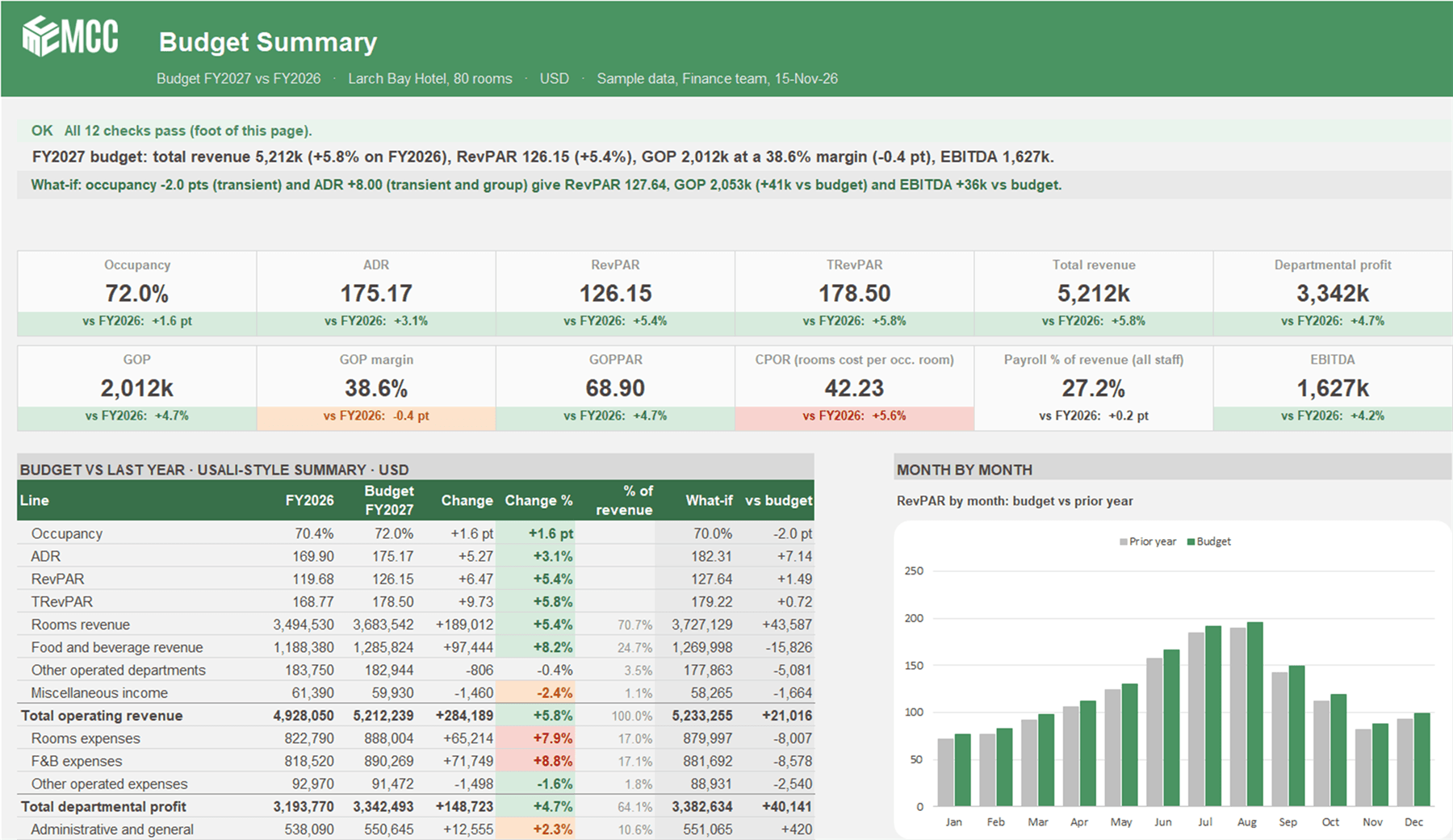
A driver-based annual hotel budget. Occupancy and ADR by segment, covers by outlet, a USALI-style departmental P&L to GOP and EBITDA, and a what-if in one step.
Free · ExcelDownload free
- Hospitality
- Planning
Hotel Renovation and Expansion Budget
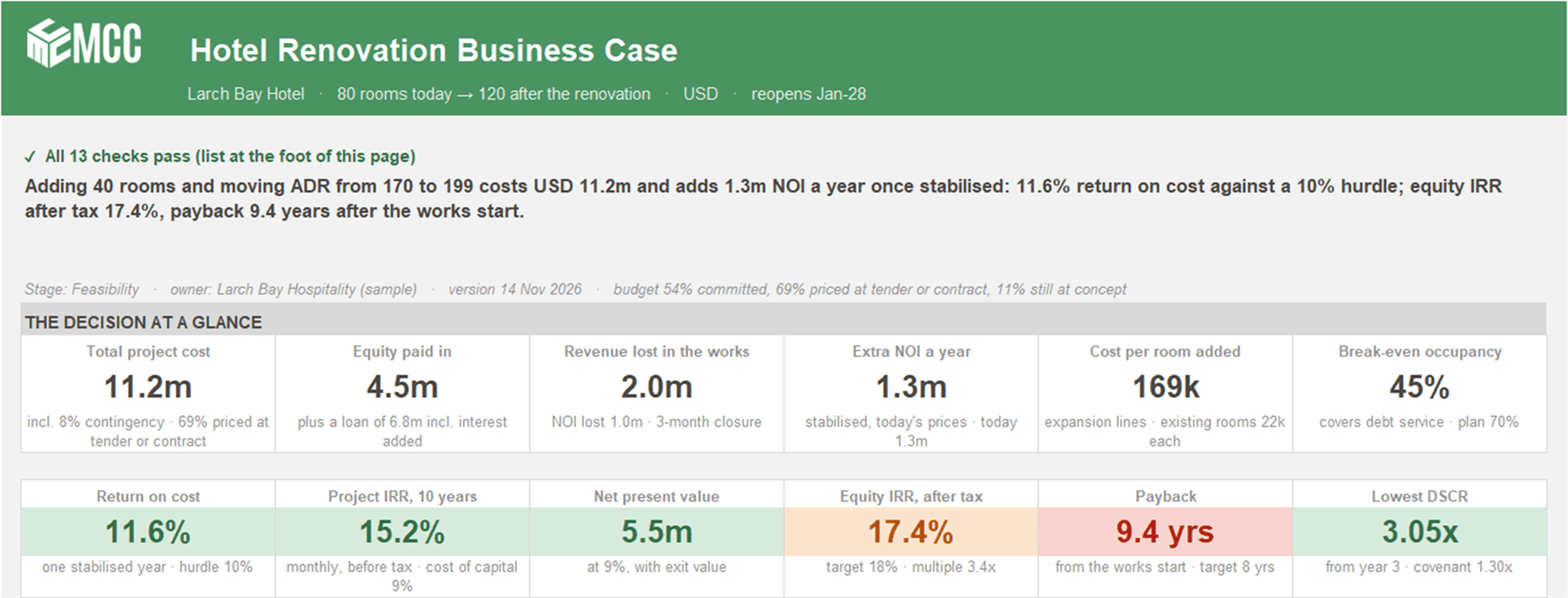
Is the renovation worth it? Renovate against doing nothing, month by month for 10 years, with closure, ramp-up, the loan, equity returns and seven stress tests.
Free · ExcelDownload free
- Planning
- Forecasting
- Cash
Three-Statement Driver Model
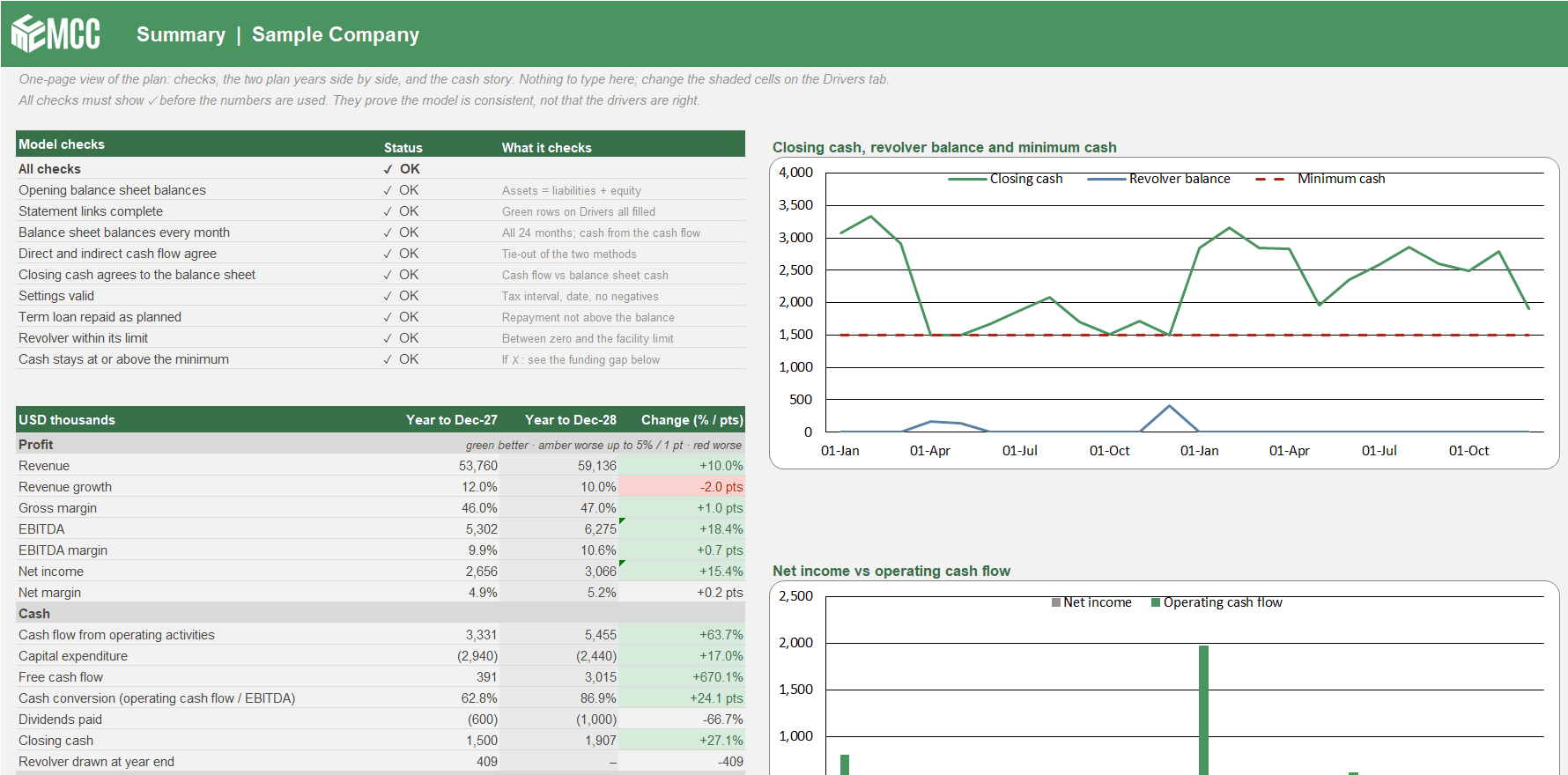
Your P&L, balance sheet and cash flow linked month by month for 24 months. Change a driver and profit, working capital, cash and the revolver all move together.
Free · ExcelDownload free
Got a problem a template doesn't cover?
Talk to our team about it. Not ready for a call? Watch the Finance Speedrun and see how we solve a real finance problem live every week.